Okay, so you've heard about the dark web. Maybe from that series, maybe Mr. Robot, maybe from that one friend who talks too much. Either way, you're curious. Let's talk about it.
So... What Even Is the Dark Web?
The dark web is a hidden part of the internet that is not accessible through normal browsers like Chrome or Firefox. You need special software. Most commonly the Tor browser, to access it. Unlike your clear websites that use .com, .org and .whatever, dark web sites use “.onion”. We have this article covering the dark web in detail. Today, I want to show you how to access it.
How Do You Access It?
There are a few ways in:
Tor (The Onion Router) — the most popular and beginner-friendly option. Free, open-source, and maintained by a nonprofit. This is what we're using today.
Qubes OS + Whonix — a much more security-focused setup where you run everything in isolated virtual machines. Maybe an overkill for casual use, but people who really don't want to be tracked swear by it.
I2P — another anonymous network, different architecture from Tor. Less mainstream but has its fans.
I'm going with Tor for this guide since it's the easiest starting point. Drop a comment if you want me to cover Qubes or I2P. Those setups deserve their own deep dives.
Installing Tor
-
Head to torproject.org — the official site. Don't Google random links, go directly.
-
Download the Tor Browser for your operating system (Windows, Mac, Linux — they've got you).
-
Install it like any normal application.
-
Open it, hit Connect, and give it a few seconds to establish a circuit.
That's genuinely it. You're now browsing through the Tor network. The browser itself is a hardened version of Firefox, so it'll feel familiar.
Finding Your Way Around: The Hidden Wiki
As mentioned earlier, regular search engines don't index .onion sites, so your usual instincts won't work here. The go-to starting point for most people is The Hidden Wiki — basically a community-maintained directory of .onion links organized by category. From there you can find forums, libraries, privacy tools, and... other things. Proceed with your brain switched on.

Above is a screenshot from Hidden Wiki. As you can see, there are a lot of .onion sites to explore. Again, please do so with your full brain.
What's Actually Out There?
I’ve explored the dark web for many years now. Here's a taste of what I’ve come across.
Hacker-for-hire services — Yep, these exist. People advertising to hack emails, phones, social media accounts and even black mail targets. Whether any of them actually work is another question entirely. On the tor browser, navigate to this url: http://prjd5pmbug2cnfs67s3y65ods27vamswdaw2lnwf45ys3pjl55h2gwqd.onion/
You should see:

We can see hacking services being advertised like groceries. The things you hear and see in movies are before your very eyes.
Next,
UK passport services / US citizenship documents — Listings claiming to sell fake passports and citizenship papers. These look convincing. They are almost certainly scams designed to take your money and disappear. But who knows, they may actually have their ways around it. Maybe through insiders. I generally don’t recommend.
You can see them here. Please don’t go clicking anything.
http://3bp7szl6ehbrnitmbyxzvcm3ieu7ba2kys64oecf4g2b65mcgbafzgqd.onion/
http://gd5x24pjoan2pddc2fs6jlmnqbawq562d2qyk6ym4peu5ihzy6gd4jad.onion/


The CIA's official .onion site — This one's real and actually interesting. The CIA has an official dark web presence specifically so people can reach them anonymously. It was Launched in May 2019. Government agencies on the dark web. You can see the dark web isn't all evil.
You can access it via: http://ciadotgov4sjwlzihbbgxnqg3xiyrg7so2r2o3lt5wz5ypk4sxyjstad.onion/

Dark Web URLs Don't Get Too Attached
Unlike regular websites where a URL like "google.com" sits there forever, .onion addresses are long, cryptographic strings. And they change. A lot. Sites get seized by law enforcement, admins get paranoid and move, or servers just go dark with no explanation. A link that worked perfectly last week might be a dead end today. This is why staying connected to updated directories like The Hidden Wiki matters. They track working links so you're not endlessly chasing ghosts.
Note that while on Tor, you can also check a website — “OnionLinks” to find .onion sites similar to The Hidden Wiki. Check here: http://s4k4ceiapwwgcm3mkb6e4diqecpo7kvdnfr5gg7sph7jjppqkvwwqtyd.onion/
Before You Go Clicking Everything in Sight
Serious note: the dark web will scam you if you let it. There's no PayPal dispute resolution down here, no customer service number to call. Money sent is money gone. Beyond scams, some sites exist specifically to infect your device with malware the moment you land on them.
General rules: don't download random files, don't log into anything with real credentials, don't send money to strangers, and probably don't click on anything that makes your stomach drop. Use common sense — maybe even more common sense than you do on the regular web.
To learn more about the dark web, refer to this tutorial: Dark Web vs Deep Web: What's the Actual Difference?
If you have comments, please let me know in the comments section below.
And subscribe to our newsletter so you get notified when we post similar content.
Stay curious, stay safe, and don't do anything I wouldn't do.
Related Tutorials
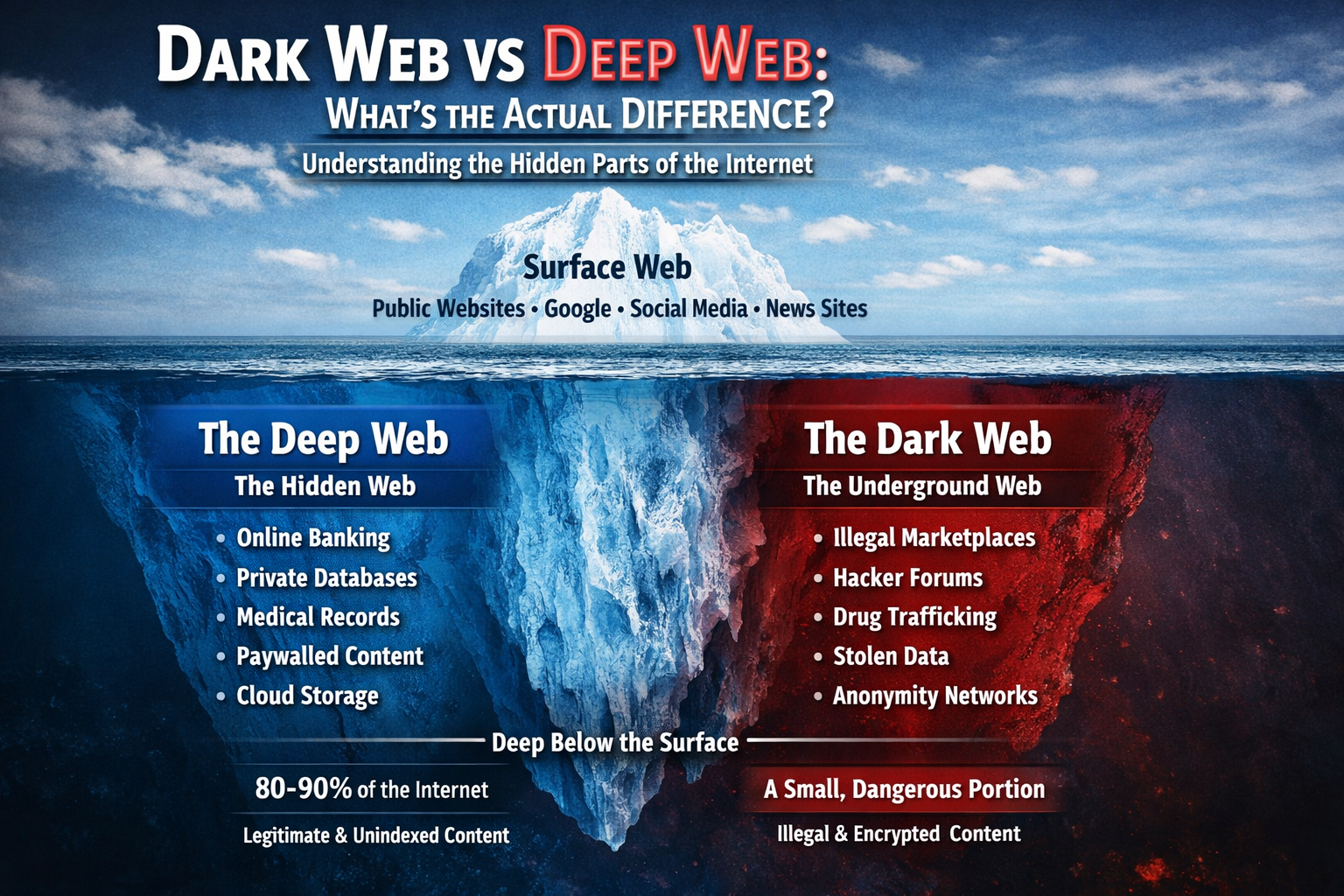
Dark Web vs Deep Web: What's the Actual Differenc…
Confused about the dark web and deep web? You're not alone. Most people use the…
Read Tutorial
Searching for a Trafficked Person Using Open Sour…
Learn how Open Source Intelligence (OSINT) can be used to locate missing or tra…
Read Tutorial




Discussion (0 comments)
Join the Discussion
No comments yet
Be the first to share your thoughts on this tutorial!